Requirements
What you need
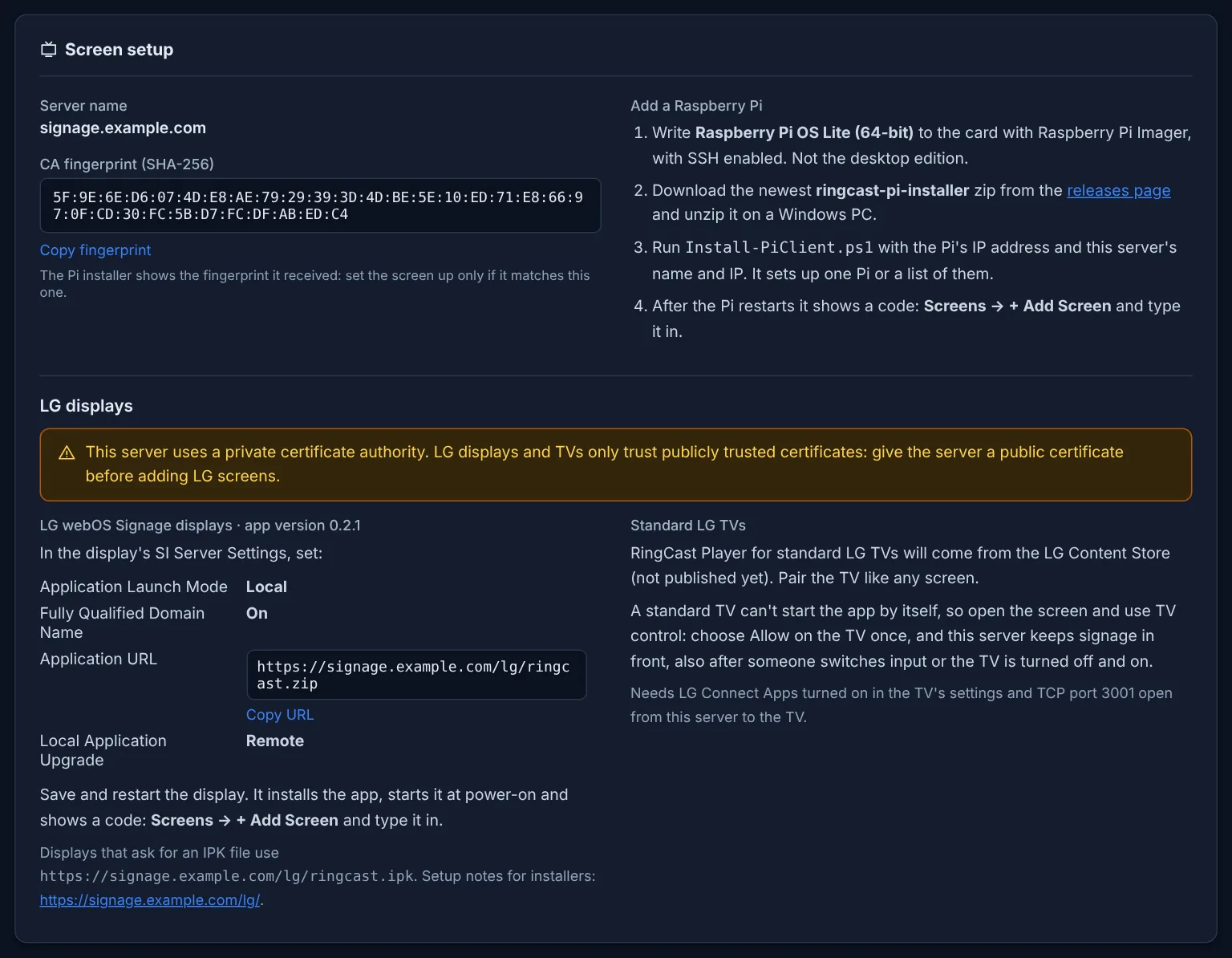
Use Raspberry Pi OS Lite (64-bit), NOT the desktop editionRingCast Player is installed on Raspberry Pi OS Lite (64-bit). Do not use the desktop edition of Raspberry Pi OS on your screens.
| Item | Requirement |
|---|
| Server | RHEL / Rocky / AlmaLinux 8 or 9 (SELinux enforcing supported), or Ubuntu Server 22.04 / 24.04 LTS. No desktop. A DNS name for the server. |
| Screens | Raspberry Pi 5 (recommended) or Pi 4 Model B with Raspberry Pi OS Lite (64-bit), not the desktop edition; and/or LG webOS Signage displays, or standard LG webOS TVs with webOS 5 or later. |
| Network | Screens reach the server on HTTPS (443). Screens need internet for web pages and YouTube/Vimeo/Twitch; the server needs it for updates, weather, feeds, SharePoint. Alerts and off-site backup copies go out from the server: mail (587/465/25), Teams/RequestPath/webhooks (443), Windows share (445) or SFTP (22). TV control of standard LG TVs needs the server and the TVs on the same local network. |
| Certificate | Raspberry Pi screens: the private CA made by the installer, or a public certificate. LG screens: a publicly trusted certificate (a free Let's Encrypt certificate works). A certificate from a company (internal) CA is not supported for screens. |
| Setup PC | Windows with the OpenSSH Client, for the RingCast Player installer (Raspberry Pi). |
Download
Get the installers
The download page always has the newest RingCast Manager server installer and the RingCast Player installer for Raspberry Pi, each with its SHA-256 checksum, plus the guides and the source code. RingCast Player for LG webOS ships inside the server. Downloads are free for NetRing Tech community members: join free in under a minute.